
Coming soon for WordPress builders
An AI-ready local workspace for WordPress plugin development.
WP OneShot creates organized local plugin projects with isolated WordPress stacks, structured briefs, agent context, validation, and quality gates, so you can build in VS Code with Codex, Claude Code, or your AI coding tool of choice.
- VS Code-ready plugin projects
- Structured AI agent context
- Isolated local WordPress stacks
- One-Shot brief builder
- Validation and quality gates
- Release preparation workflow
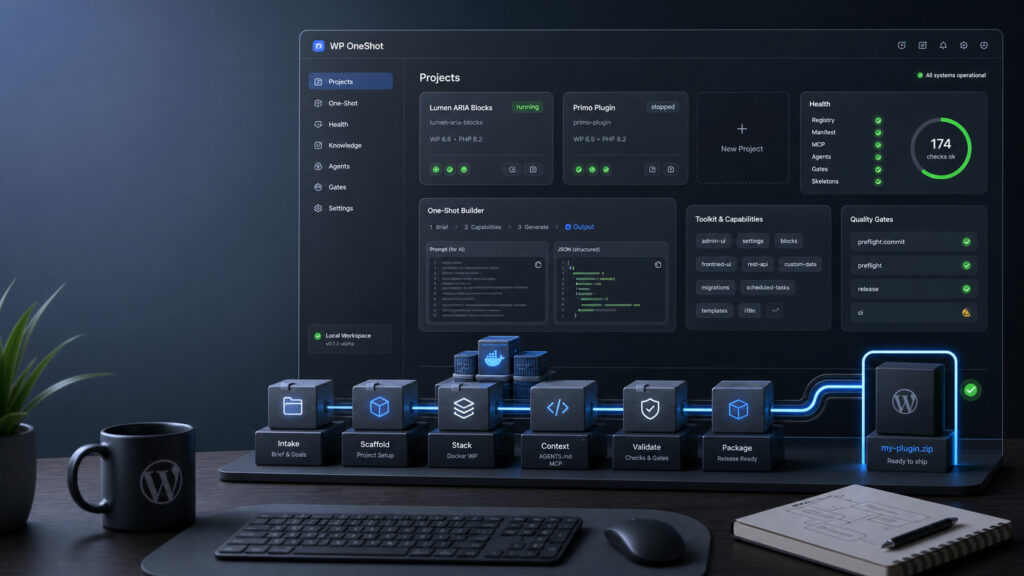
AI can write code. WordPress plugins still need structure.
Plugin work gets messy when the scaffold, local WordPress stack, AI instructions, checks, documentation, and release process all live in separate mental tabs. WP OneShot gives each plugin a clear project boundary and gives AI agents the context they need to work inside it.
Less setup drift
Each project gets its own WordPress Docker stack, manifest, ports, source folder, and local runtime.
Less agent chaos
AGENTS.md, MCP, capabilities, toolkits, and intake files turn vague prompts into scoped implementation work.
Less release anxiety
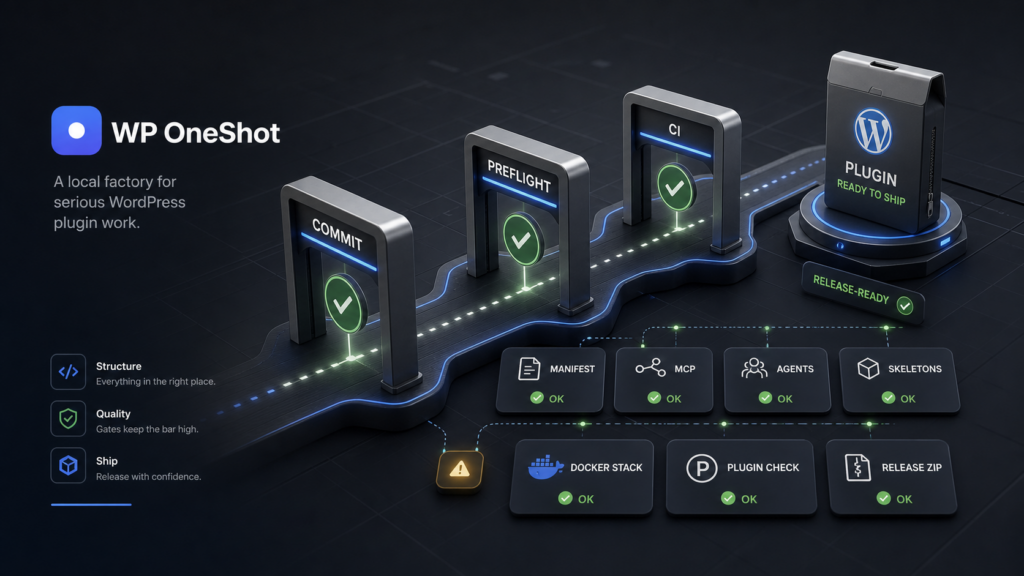
Validation and preflight gates keep checks close to the project before packaging and public release prep.
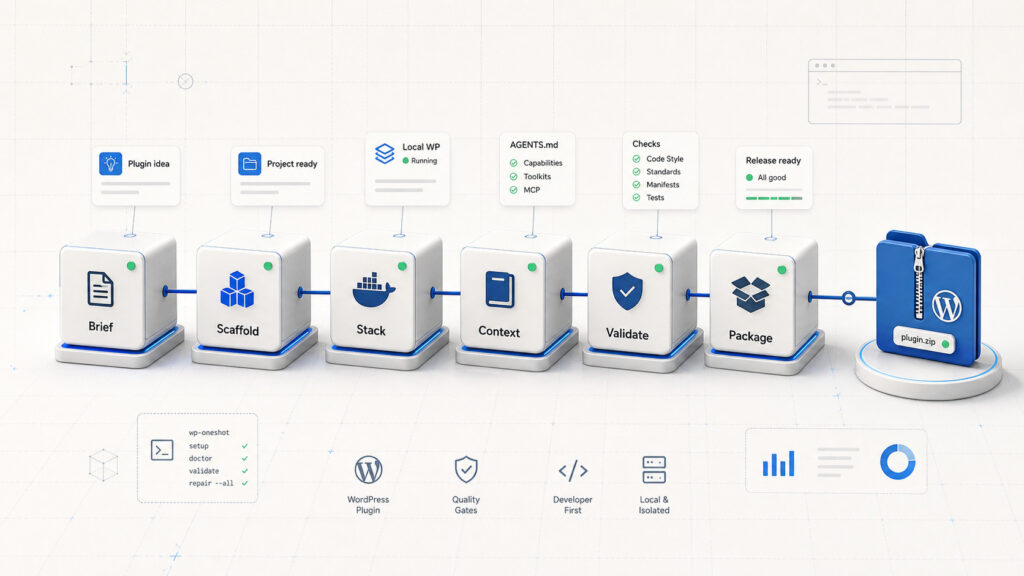
From plugin idea to structured project.
- Create or import a plugin
Start from a bare plugin skeleton or wrap an existing plugin in a clean WP OneShot project. - Open the project in VS Code
Open the generated project folder in VS Code with the local stack and project instructions already in place. - Work manually or with an AI coding agent
Use your normal editor workflow, or bring in Codex, Claude Code, or another AI coding client with project-specific context. - Validate before release prep
Run health checks, commit gates, preflight scopes, and release-readiness checks from one local system.
A dashboard for setup, context, stacks, and checks.
Use the dashboard to create projects, start local WordPress stacks, prepare one-shot briefs, inspect context, and run checks. Then open the generated project in VS Code and build with Codex, Claude Code, or another AI coding client.
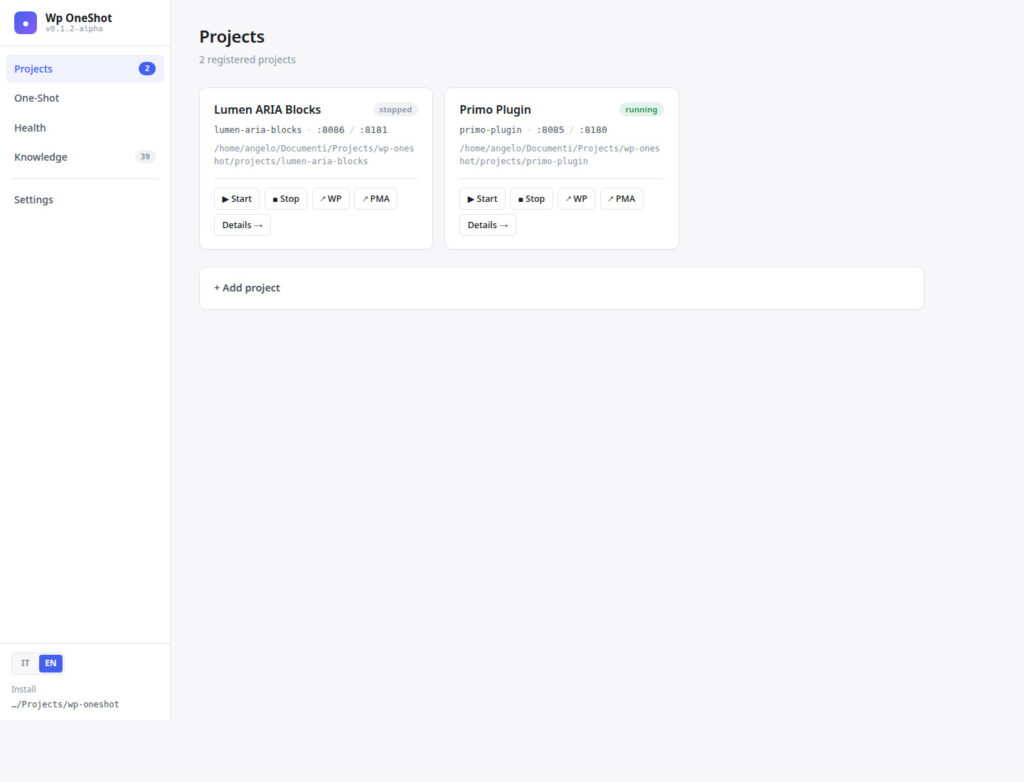
Projects and local stacks
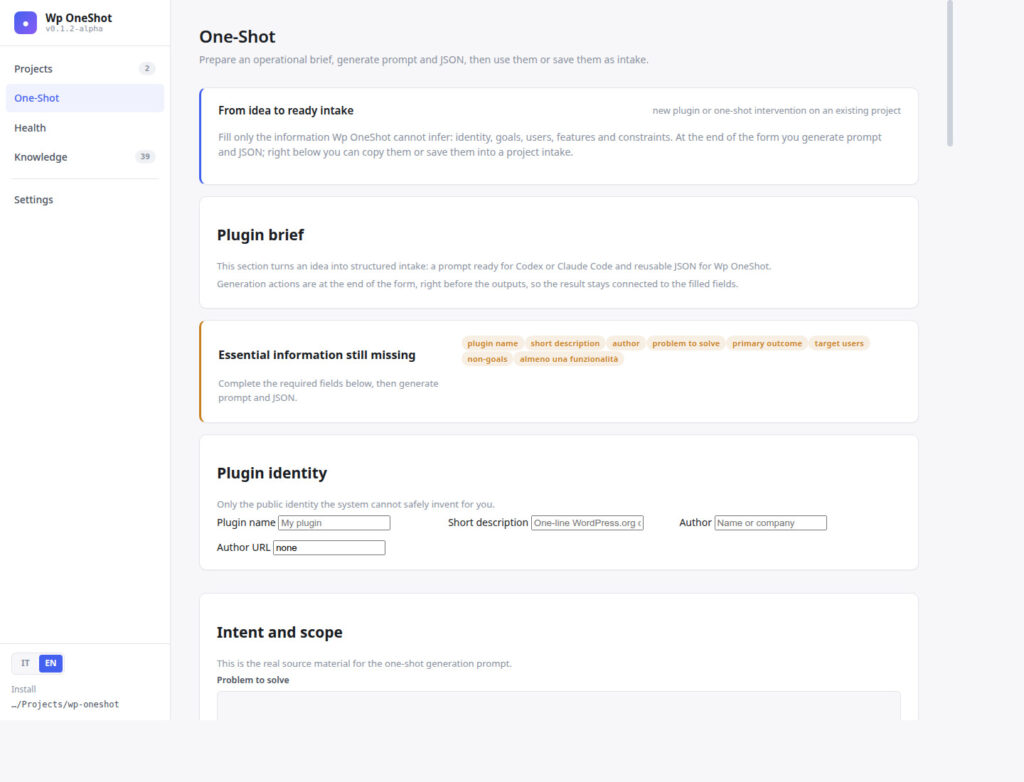
One-Shot brief builder
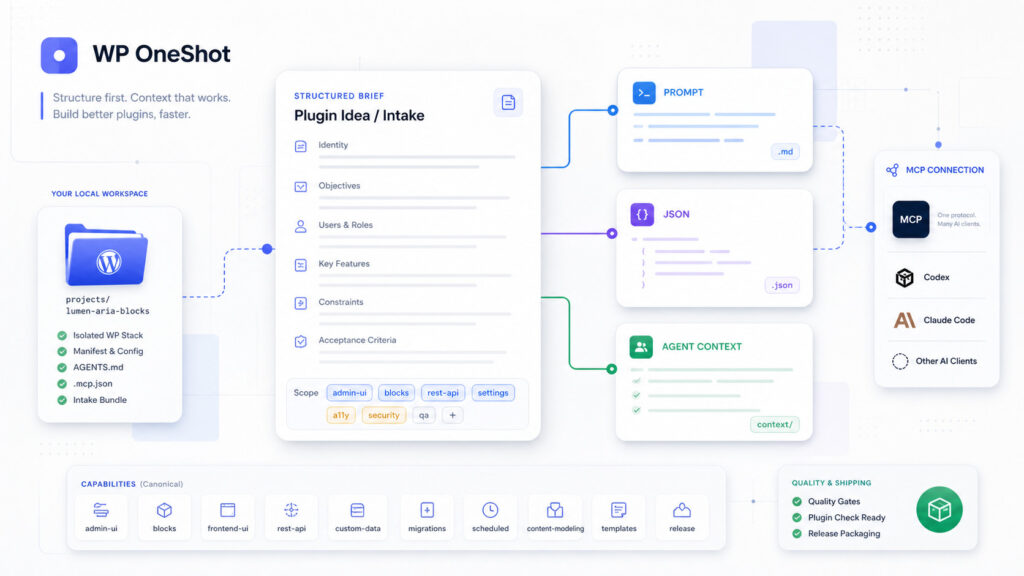
One-shot does not mean unstructured.
Every project gets model-neutral AGENTS.md instructions, .mcp.json, capabilities, toolkits, and an intake bundle. That context follows the project into VS Code, so AI coding agents know the boundaries, WordPress surfaces, quality bar, and release expectations.
- Model-neutral project instructions
- MCP context and tool boundaries
- Capability-aware prompts and release checks
Quality gates stay close to the work.
WP OneShot includes doctor, validation, repair, commit, preflight, and CI-oriented gate scopes. The goal is simple: keep setup, checks, and release preparation repeatable before a plugin leaves the local workspace.
WordPress developers, agencies, freelancers, and plugin makers.
WP OneShot is for technical people who want AI to fit into a disciplined WordPress plugin development workflow: local stacks, project contracts, repeatable context, quality checks, and a clearer path from idea to release artifact.
Freelancers
Spin up repeatable plugin projects without rebuilding the same scaffolding and local environment every time.
Agencies
Give teams a shared vocabulary for plugin capabilities, review roles, gates, and handoffs.
Plugin makers
Keep experiments, client plugins, and release candidates organized without mixing project state and tool state.
Follow WP OneShot toward alpha.
Join the waitlist to receive short build notes, early previews, and release updates for an AI-ready WordPress plugin workspace.
No spam. Just product updates, and you can unsubscribe anytime.
WP OneShot is currently in active development. Built for WordPress developers who want AI-assisted plugin work to stay organized, local, and release-aware.